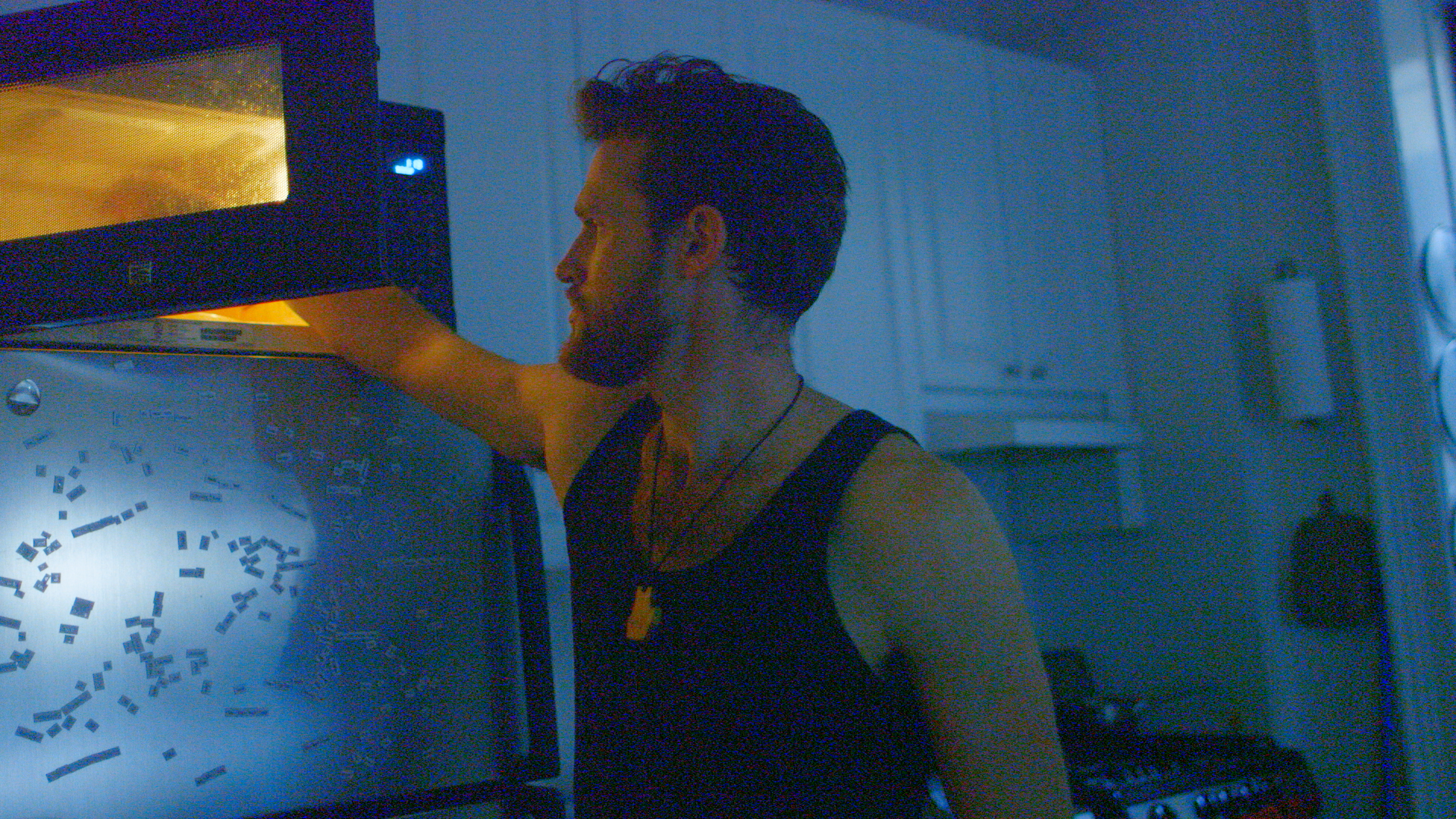
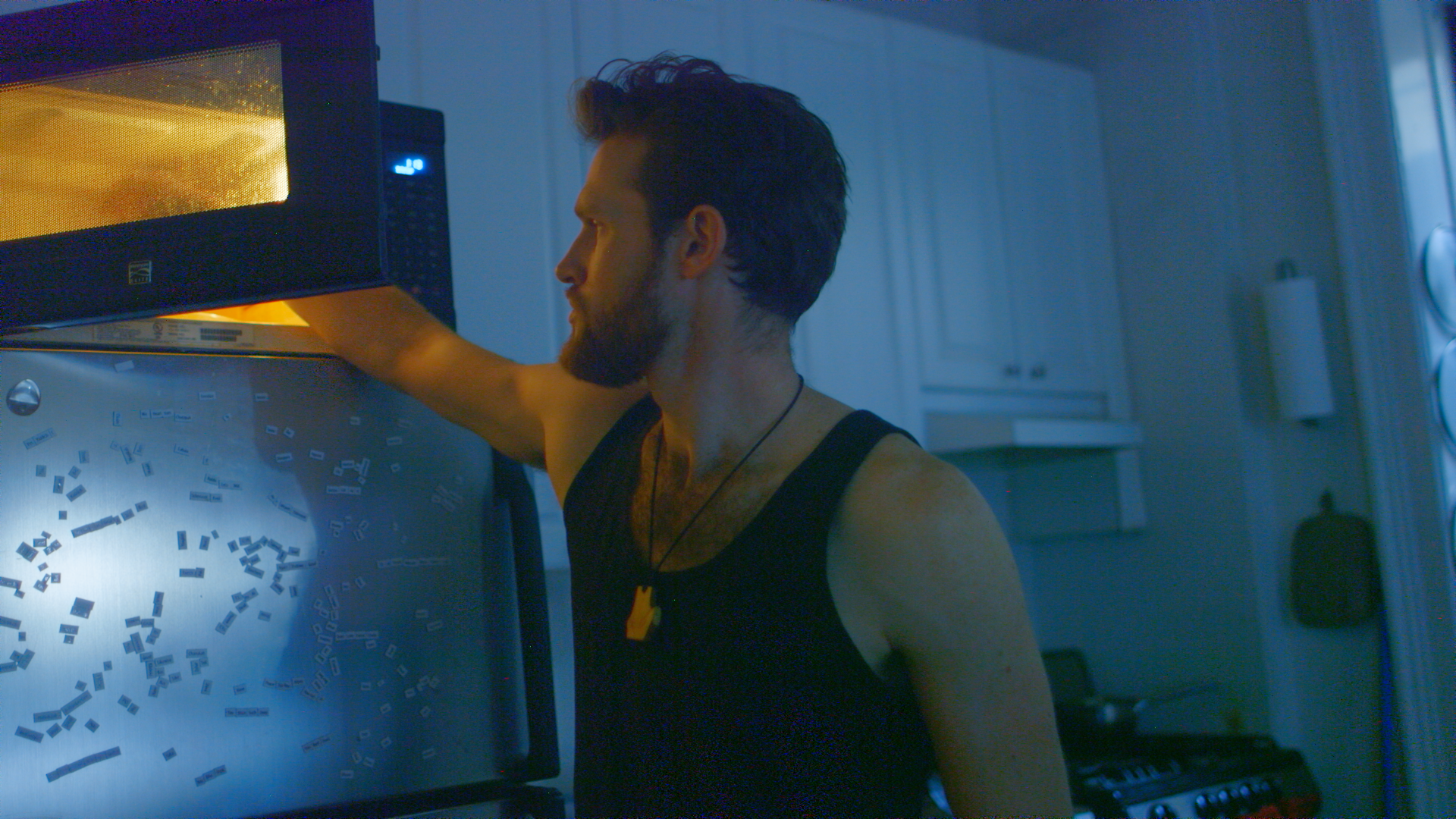
39-shot reel
Selected underexposed or poorly balanced shots use stronger grades to demonstrate higher-bit-depth grading latitude.
AI VIDEO ENHANCER
Upscale 8-bit footage to 10-bit, and 10-bit footage to 12-bit.
Sign in, upload a video, and choose an upgrade.
60 free seconds · up to 20 clips
No card needed to try.
8-bit → 10-bit ProRes 422 HQ. 10-bit → 12-bit ProRes 4444. Keep your source color encoding, frame rate and audio.
Frustrated by the limited grading latitude of 8-bit footage, we tested different approaches across hundreds of minutes of footage. Our AI estimates intermediate tonal values for smoother transitions in higher-bit-depth ProRes. Results vary. This will not recover lost detail or clipped highlights, or add captured dynamic range.
Original above. Enhanced below. Same grade.
Selected underexposed or poorly balanced shots use stronger grades to demonstrate higher-bit-depth grading latitude.
A shot from I’m Your Brother, before and after SDR-to-HDR processing. Drag the divider to compare the bright background.
Graded comparison stills from the film
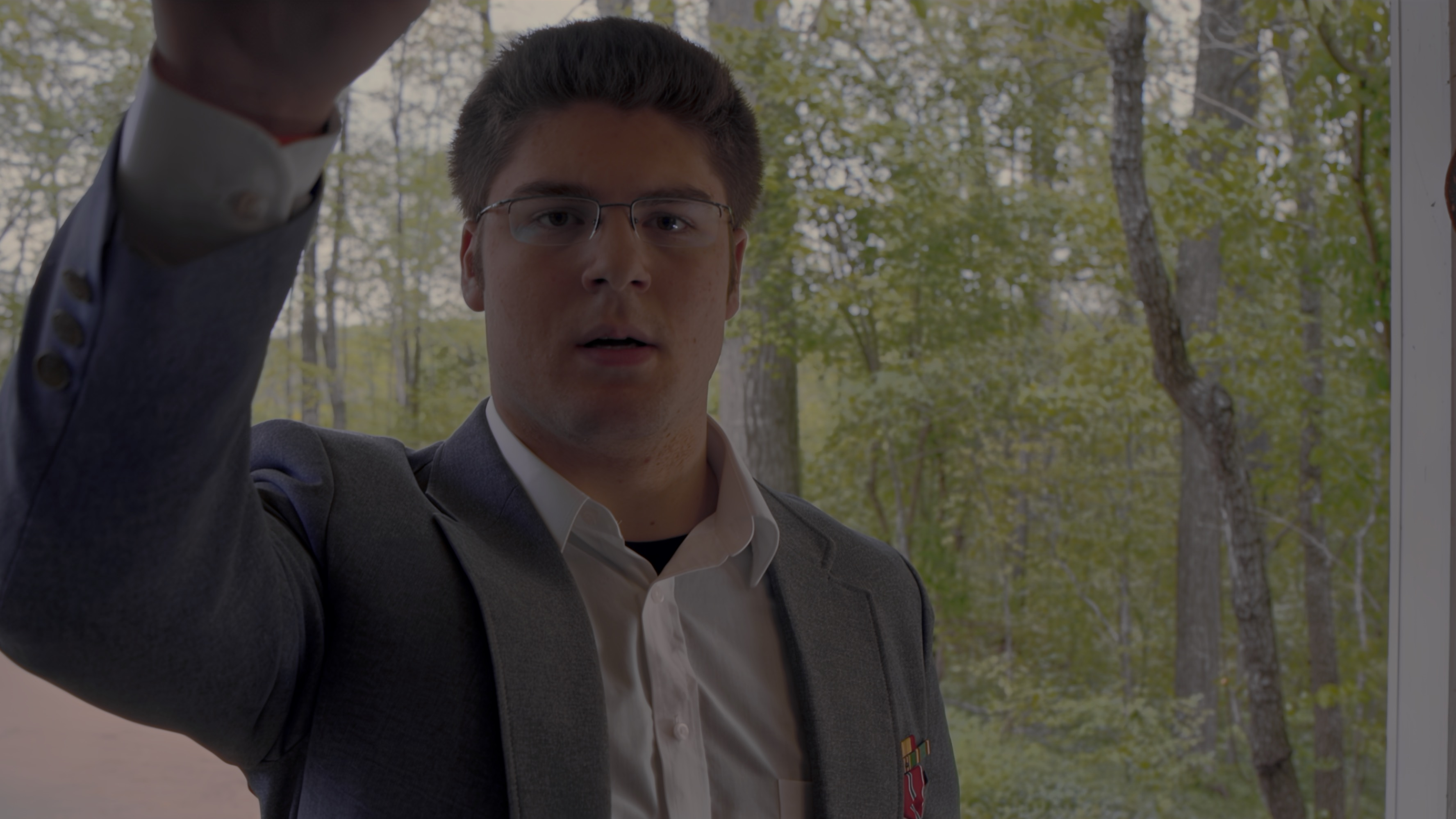
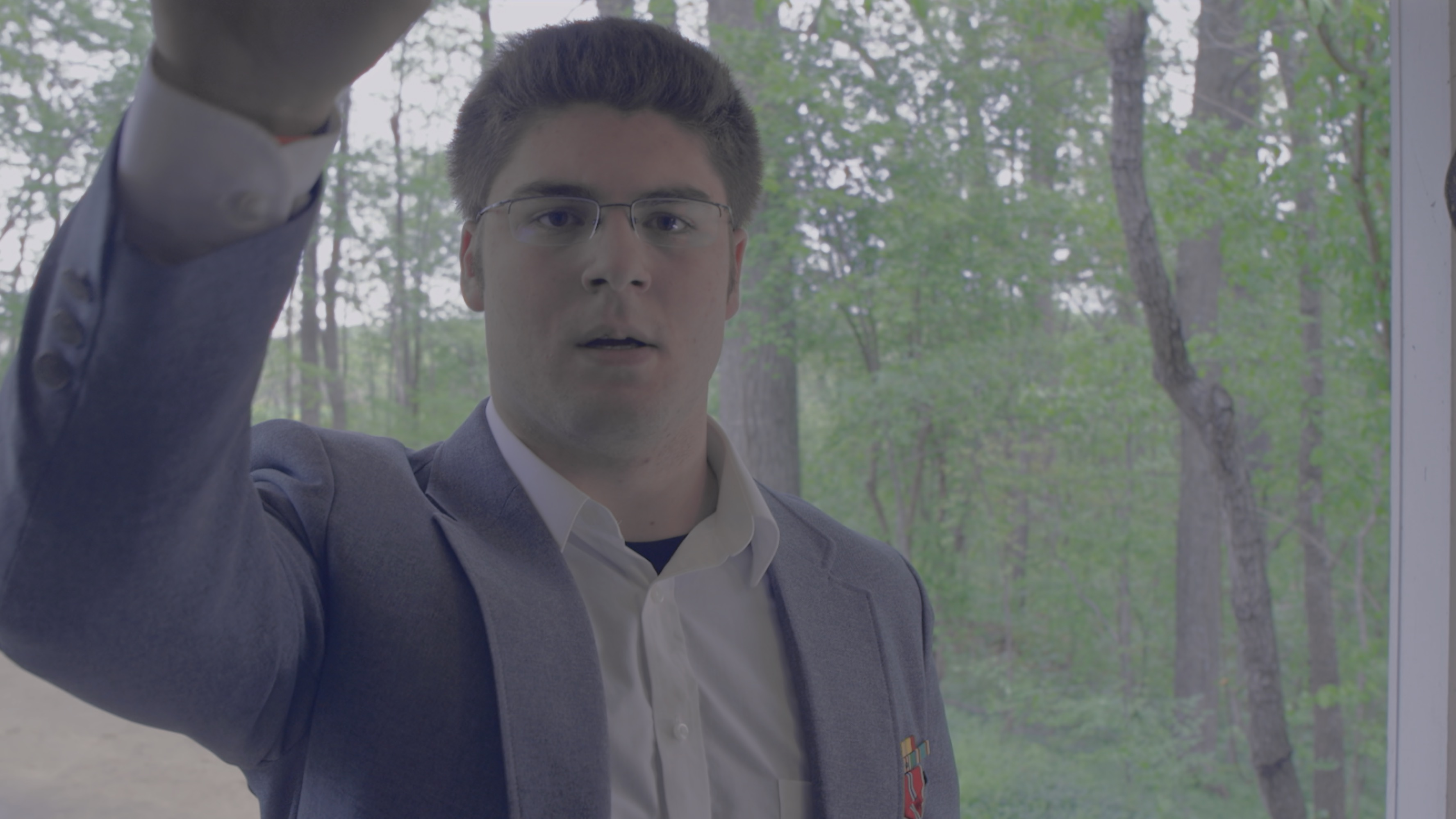
Compare the sky, branches and foliage in these selected graded stills.
Matching 16:9 crops. Both are shown as SDR web previews.
The selected SDR and HDR-result stills retain their supplied grades. Only the black border and matching side edges were cropped; no further color adjustments were added.
AI can reconstruct plausible detail and can also change fine textures or shapes. This is not recovery of the original clipped camera information.
This example uses a separate SDR-to-HDR workflow. It is not included in the color-depth upgrades offered on this page.
Same grade. Drag to compare.
+1 EV · Saturation 1.2×
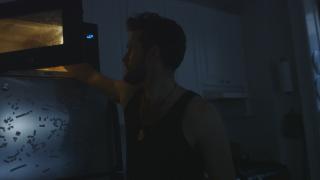
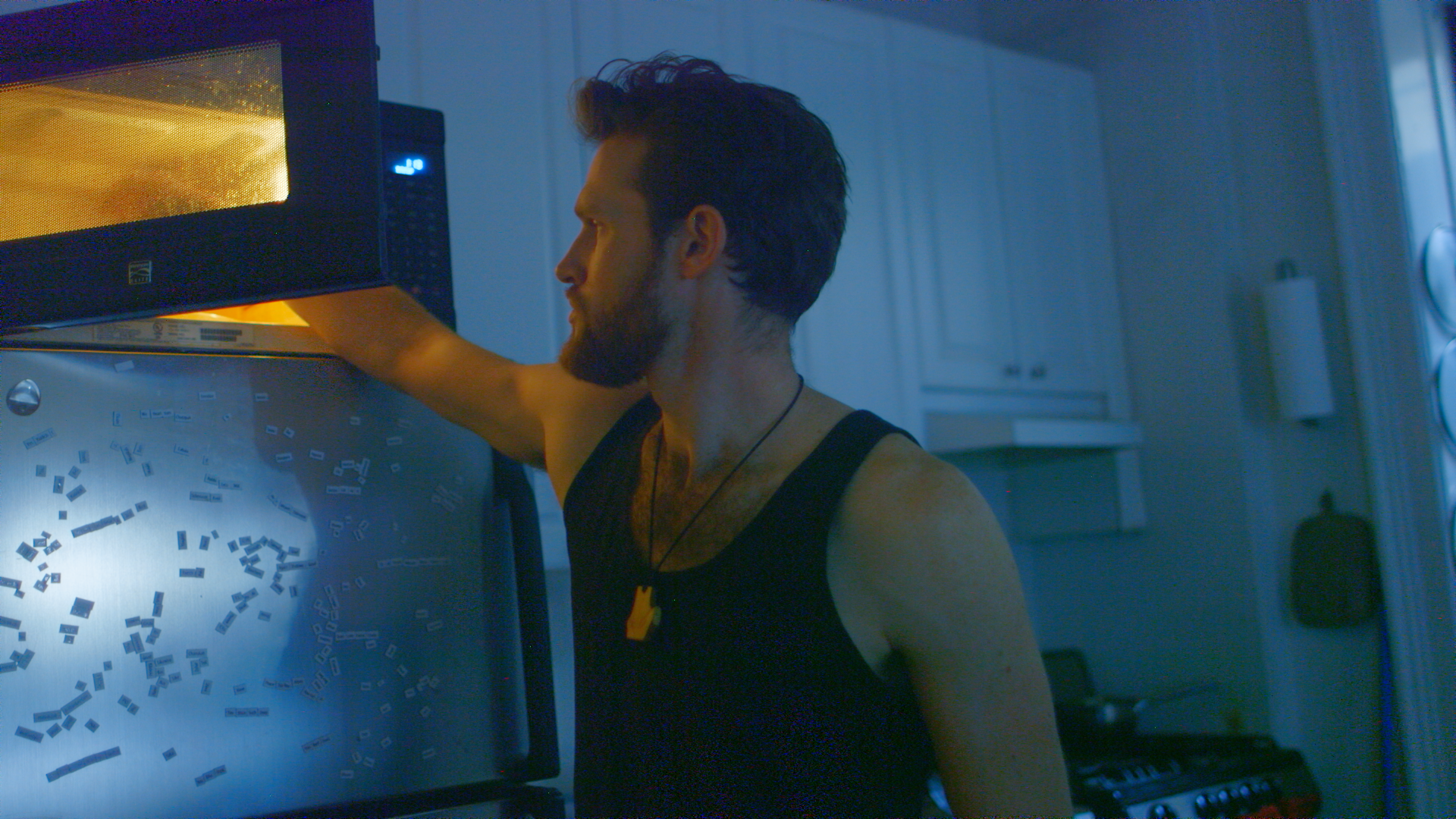
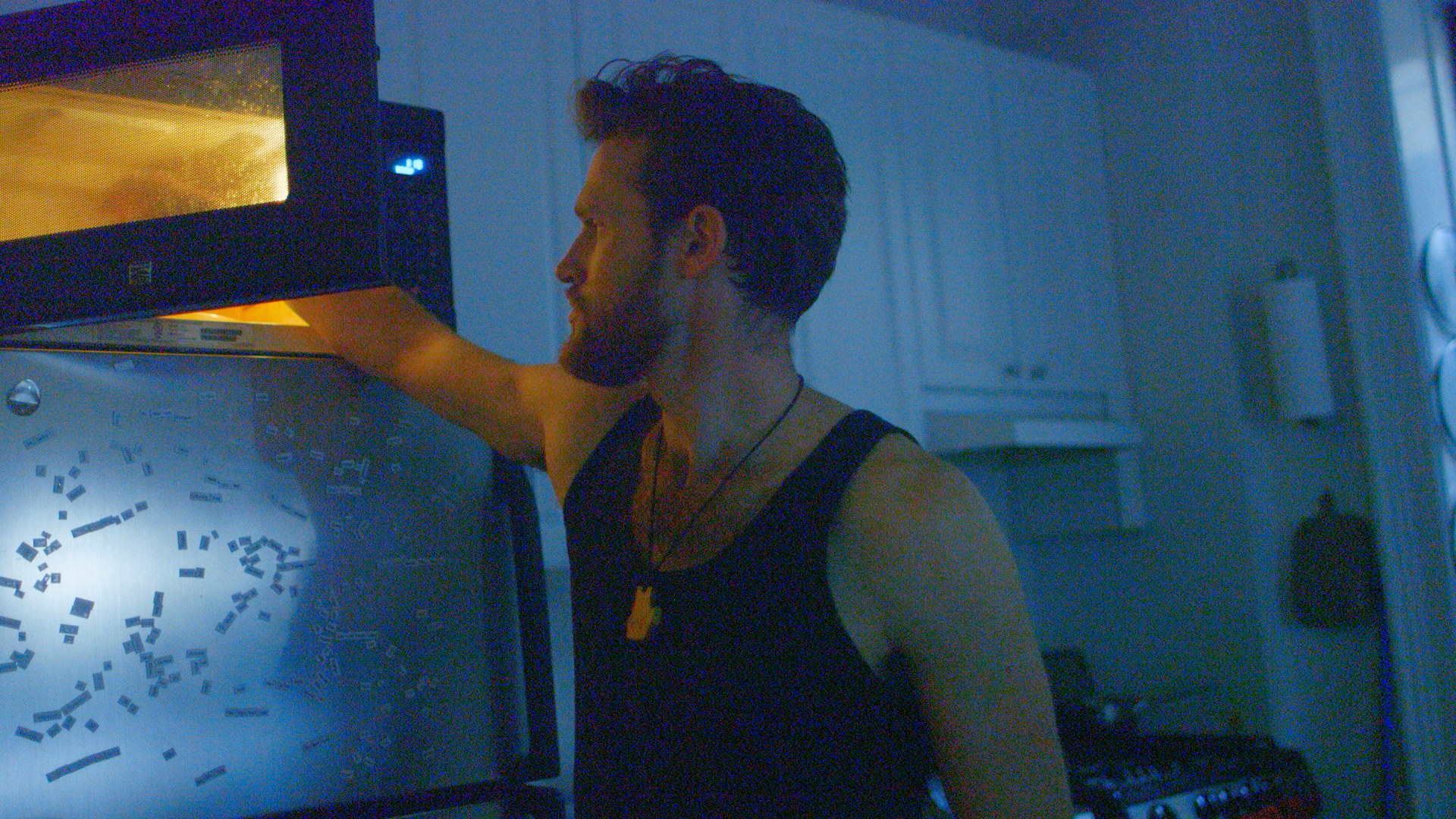
Compare the lifted dark tones, colored noise and fine edges. Both full frames use the same viewing transform and luma curve.
8 bit 4:2:2 original → Restored 10 bit 4:2:2. Full frame, identical grade.
Applied equally to both images after processing.
Curve: display signal luma after the viewing LUT, with black anchored at zero.
Scene-linear exposure: +1 EV. Scene-linear saturation: 1.2×. Then C300A709_F65.cube / ARRI K1S1 viewing transform (C-Log to Rec.709), this luma curve, and the same sRGB preview conversion.
Matched scene-linear white-balance gains (R / G / B): 1 / 1 / 1. These comparison settings are identical on both sides.
Curve domain: Rec.709 weighted display signal luma, assuming gamma 2.4. Straight segments connect the plotted points; RGB ratios are preserved before display clipping.
Clipping figures count pixels with at least one channel outside the relevant range. These aggressive grades can exceed the viewing range on either side.
Color Banding · Same shadow lift · 2× viewing size


Compare the stepped glow beside the flame. Local transitions are smoother in the enhanced crop; some background bands remain.
8 bit 4:2:0 compressed source original → Enhanced 10 bit 4:2:2. Matched crop, identical grade.
Applied equally to the same frame and crop after processing: normalized RGB code values raised to power 0.6. No saturation boost or viewing LUT.
The 360 × 240 source-pixel crop is enlarged equally to 720 × 480 for viewing. Processing remains at the original resolution. These code-value previews are not a calibrated display transform.
Dark scene, frame 57; crop x/y/w/h: 660 / 140 / 360 / 240. Local improvement can coexist with remaining background bands.
Color Banding · Same shadow lift · 2× viewing size


Compare the orange sky and cloud boundaries under the same grade. Fine texture is smoother; some tonal steps and compression artifacts remain.
Footage: The Last Sparks, Sunset, Grand Traverse Bay, Michigan by Deb Nystrom, CC BY 2.0. Cropped, enhanced and identically graded for comparison.
8 bit 4:2:0 (compressed) original → Enhanced 10 bit 4:2:2. Matched crop, identical grade.
Applied equally to the same frame and crop after processing: normalized RGB code values raised to power 0.8. No saturation boost or viewing LUT.
Then contrast 1.2× around code value 0.5, clamped to zero–one, identically on both sides.
The 640 × 360 source-pixel crop is enlarged equally to 1280 × 720 for viewing. Processing remains at the original resolution. These code-value previews are not a calibrated display transform.
Last Sparks sunset, frame 390; crop x/y/w/h: 0 / 0 / 640 / 360. Local improvement can coexist with remaining background bands.
+1.5 EV · Saturation 1.2×



Compare the lifted dark tones, colored noise and fine edges. Both full frames use the same viewing transform and luma curve.
8 bit 4:2:2 original → Restored 10 bit 4:2:2. Full frame, identical grade.
Applied equally to both images after processing.
Curve: display signal luma after the viewing LUT, with black anchored at zero.
Scene-linear exposure: +1.5 EV. Scene-linear saturation: 1.2×. Then C300A709_F65.cube / ARRI K1S1 viewing transform (C-Log to Rec.709), this luma curve, and the same sRGB preview conversion.
Matched scene-linear white-balance gains (R / G / B): 1 / 1 / 1. These comparison settings are identical on both sides.
Curve domain: Rec.709 weighted display signal luma, assuming gamma 2.4. Straight segments connect the plotted points; RGB ratios are preserved before display clipping.
Clipping figures count pixels with at least one channel outside the relevant range. These aggressive grades can exceed the viewing range on either side.
$0
60 seconds total per account across up to 20 clips. Free and bonus seconds are applied before paid processing. No card is needed when they cover your clip.
$0.05/sec
$0.50 minimum
Includes the first 10 paid seconds. Then $0.05 per additional started second of paid processing, plus applicable tax.
Review your clip’s price before approving paid processing.
Find your source format, from camera log to AI-generated Rec.709. Native 12-bit keeps its precision; RAW is unsupported.
Standard Rec.709 footage. No log recording required.
Progressive, constant frame rate. Up to 4K / 60 fps. Rec.709 stays Rec.709.
Progressive, constant frame rate. Up to 4K / 60 fps. Rec.709 stays Rec.709.
Keep your original 12-bit footage. RAW files are not supported.
Manufacturer-documented modes; not every camera is tested. We check your file on upload. Examples use C300 C-Log1 footage.
Filmmakers and editors preparing existing footage for a color grade. If lifting shadows or adjusting color makes noise or tonal steps distracting, compare a short enhanced clip under the same look. Judge the result by the shot you need to deliver, including texture and motion.
RGBA enhances supported source clips for your editing and grading workflow. Continue editing and applying your look in your grading software after enhancement. The current web enhancer does not automatically grade footage or match shots; test its ProRes output in your own workflow before processing more clips.
ProRes, H.264, H.265 or MPEG-2 in MOV, MP4 or MXF; also FFV1 MKV. Progressive, constant frame rate only. Up to 4K / 60 fps, 12 GiB and 10 minutes. RAW is unsupported. RGB, interlaced and variable-frame-rate files need conversion first.
After upload, we detect resolution, bit depth and color sampling (such as 4:2:0 or 4:2:2). Upgrade color depth at the original size, or choose 2× width and height with higher bit depth when the result fits within 4K. For example, 1920 × 1080 8-bit footage can become 3840 × 2160 10-bit ProRes. Native 12-bit footage keeps its bit depth when upscaled.
Expect smoother gradients, cleaner shadows and finer color precision under your grade. Results depend on the source; enhancement does not add newly captured dynamic range or recover clipped highlights. Check your intended grade, motion and fine detail in the free preview.
Yes, supported Rec.709 SDR exports can use the same upgrades. An 8-bit 4:2:0 MP4 can be enhanced to 10-bit 4:2:2 ProRes; a supported 10-bit file can become 12-bit ProRes. Choose higher precision at the original size, or 2× resolution when the output fits within 4K. Generator settings vary, so we inspect the actual file. See AI Videos (Rec709) in the compatibility tabs.
Keep your source color settings, whether Rec.709 or log. Video-range ProRes; no alpha. Final Cut Pro compatibility is unverified—test your free clip first.
Yes. Processing continues after upload. Resume interrupted uploads within 24 hours using the same file.
Private downloads last 30 days; permanent deletion may follow later. Incomplete uploads expire after one day. Keep your originals.